Cloud Warehouse Management System: How It Works (2026)
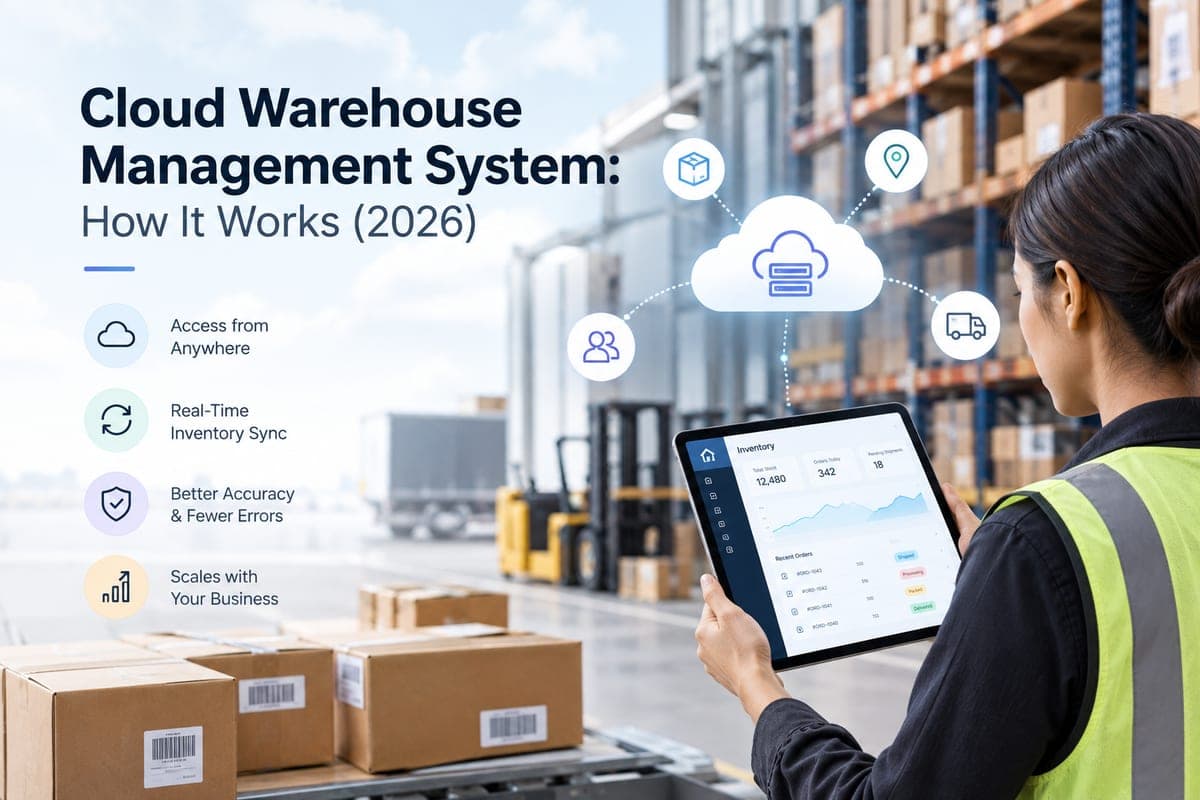
A cloud warehouse management system is a WMS hosted by a software provider and accessed through a web browser or app, instead of being installed on your own servers. You don't buy hardware or manage upgrades — you log in, and the provider handles hosting, security, and updates on their infrastructure.
That shift from on-premise to cloud is the biggest change in warehouse software over the last decade, and it's why most businesses shopping for a WMS today are really shopping for a cloud WMS by default. On-premise has become the exception, not the rule. This guide covers how cloud WMS actually works, how it compares to on-premise, what it costs, and how to evaluate one for a growing ecommerce or multichannel operation in 2026.
Table of Contents
- What Is a Cloud-Based Warehouse Management System and How Does It Work?
- Cloud WMS vs. On-Premise WMS: Key Differences
- Key Benefits of a Cloud-Based Warehouse Management System
- Is a Warehouse Management System the Same as an ERP?
- How Nventory Approaches Cloud Warehouse and Inventory Management
- Best Cloud-Based WMS Options for Growing E-Commerce Businesses
- How to Choose a Cloud Warehouse Management System
- How Much Does a Cloud WMS Cost?
- Useful Sources
- Frequently Asked Questions
What Is a Cloud-Based Warehouse Management System and How Does It Work?
A cloud-based WMS runs on the provider's remote servers rather than your own, and you access it over the internet through a browser or mobile app. Functionally it does the same job any WMS does — tracking inventory, managing receiving and putaway, directing picking and packing, and coordinating shipping. Our guide to the core functions of a WMS covers that feature set in depth. What changes in the cloud model is delivery, in three ways that matter operationally:
- No local infrastructure. There's no server room, no on-site installation, and no IT team required to keep it running.
- Automatic updates. New features and security patches roll out on the provider's schedule, not yours, so you're always on the current version.
- Access from anywhere. Warehouse managers, remote ops teams, and multi-location staff all see the same real-time inventory sync, from any device with a connection.
Under the hood, most cloud WMS platforms run as multi-tenant SaaS — shared infrastructure with isolated data per customer — on API-first architecture, so they connect to ERPs, marketplaces, and shipping carriers without custom integration work on your end. For a deeper look at how that architecture holds up under load, see our breakdown of cloud inventory architecture at the edge.
Cloud WMS vs. On-Premise WMS: Key Differences
This is the comparison most buyers actually need, since almost nobody evaluates a WMS without weighing both models:
| Cloud WMS | On-Premise WMS | |
|---|---|---|
| Deployment time | Days to weeks | Months |
| Upfront cost | Low — subscription-based | High — hardware, licensing, installation |
| Ongoing cost | Predictable monthly or annual fee | Internal IT staffing plus maintenance |
| Updates | Automatic, provider-managed | Manual, scheduled upgrade projects |
| Scalability | Scales with usage, no new hardware | Requires infrastructure upgrades to scale |
| Disaster recovery | Built-in redundancy and failover | Requires a separate backup and DR plan you build and maintain |
| Data control | Provider-managed, contractually governed | Full in-house control |
| Best for | Growing, multichannel, distributed teams | Large, stable operations with dedicated IT and strict data-residency needs |
The disaster recovery row is the one most on-premise buyers underestimate. If your WMS and its data live on servers inside the building, then a fire, flood, or extended power failure at that building takes your fulfillment operation offline along with it, and your recovery time depends entirely on a backup plan you built yourself and may never have tested. A cloud deployment decouples the software from the site: staff can pick up from a temporary location on any connected device, because nothing operationally critical was ever tied to that one room.
On-premise still wins on a few fronts: near-zero network latency for on-site users, and full in-house control for businesses in tightly regulated industries with strict data-residency requirements. For most growing ecommerce and multichannel operations, though, deployment speed and lower upfront cost make cloud the default.
Key Benefits of a Cloud-Based Warehouse Management System
Beyond the deployment-model differences above, the benefits that show up in day-to-day operations are:
- Real-time inventory visibility across locations. Stock levels update the moment something moves, across every warehouse — not just the one you're standing in.
- Lower upfront investment. No servers, no licensing fees, no dedicated IT hires. You pay for what you use as a subscription.
- Faster time to value. Cloud deployments typically go live in weeks rather than the months an on-premise rollout requires.
- Built-in security and compliance. Reputable providers invest in encryption, automated backups, and compliance certifications that most individual businesses couldn't replicate in-house at reasonable cost.
- Elastic scalability. Peak-season order spikes or new-warehouse rollouts don't require a hardware purchase; the system scales with your usage.
- Fewer picking errors. The mechanism is simple: pickers work from current data rather than a spreadsheet exported that morning, and scans validate against live stock instead of a stale snapshot. The size of the gain depends almost entirely on what you're replacing — moving off manual counts produces a far larger jump than moving off an hourly sync.
Be sceptical of any single headline percentage here. Vendor-published accuracy improvements vary enormously by facility, starting baseline, and how much manual entry the system actually removes. For benchmarks drawn from operator surveys rather than marketing, the Warehousing Education and Research Council publishes annual distribution-centre metrics that are a more honest yardstick for what "good" looks like at your size.
Is a Warehouse Management System the Same as an ERP?
No. A WMS manages what happens physically inside a warehouse — receiving, putaway, picking, packing, shipping. An ERP manages the business as a whole: finance, procurement, HR, and often a general inventory module that isn't built for warehouse-floor operations.
Many businesses run both, integrated, because they solve different problems. The ERP owns the financial and planning picture; the WMS — or an order management system with strong inventory logic — owns the operational reality of where stock physically sits and how orders get fulfilled.
If you're comparing "do I need a WMS or an ERP," the honest answer for most growing ecommerce businesses is usually neither in its full enterprise form. What they need is an OMS with real-time inventory and order routing across the warehouses they already use, which is a lighter and faster-to-implement layer than either. Our comparison of warehouse management vs inventory management works through where that line sits.
How Nventory Approaches Cloud Warehouse and Inventory Management
Nventory is a cloud-native order and inventory management platform. It's worth being specific about how it fits the categories above rather than claiming it's a drop-in replacement for every kind of cloud WMS:
- It's not a 3PL-bundled WMS. Some platforms combine software with their own warehouse network, so you outsource fulfillment to them. Nventory works the opposite way: it's warehouse-agnostic, syncing and routing orders across whichever FBA, 3PL, or owned warehouses you already use, so you're not locked into one provider's physical footprint.
- It's not a floor-level WMS for a large distribution center. If you're running one big facility with complex slotting, wave picking, and labor-management needs, a dedicated enterprise WMS is still the better fit.
- It is the cloud inventory-and-order layer for multichannel sellers who need real-time accuracy and automated routing across a mixed fulfillment network, which is where most growing ecommerce brands actually sit.
In practice that means sub-5-second inventory sync across Shopify, Amazon, eBay, TikTok Shop and the rest of your commerce channels via native vendor APIs rather than scraping; multi-warehouse support with automatic order routing based on stock availability, shipping cost, and priority; 99.9%+ inventory accuracy against a 99.9% uptime target; and 40+ native integrations spanning 23 commerce channels plus QuickBooks, Xero, and major shipping carriers. Warehouse location limits scale by plan, with unlimited locations on the top tier, so check the tier against the number of locations you actually run.
There's a free plan, covering unlimited orders on one sales channel and one warehouse location, so you can test real-time sync against your own catalog before paying anything.
Best Cloud-Based WMS Options for Growing E-Commerce Businesses
"Best" depends entirely on which category fits your operation:
| Category | Best for | What you're buying |
|---|---|---|
| Enterprise cloud WMS | Large distribution centers, complex floor logistics | Deep floor-level control: slotting, wave picking, labor management |
| 3PL-bundled cloud WMS | Brands that want to outsource physical fulfillment entirely | Software plus the provider's own warehouse network |
| Standalone cloud WMS / inventory software | Businesses running their own warehouses that need inventory plus basic warehouse tools | Single-facility inventory control without enterprise overhead |
| Cloud order and inventory orchestration | Multichannel brands fulfilling from a mix of FBA, 3PL, and owned warehouses | A warehouse-agnostic layer above whatever network you already run |
The fastest filter: do you want to outsource physical warehouse operations entirely, run one facility with deep floor-level control, or keep your existing mix of FBA, 3PL, and owned warehouses while getting real-time visibility and automated routing across all of them? Most medium-sized multichannel sellers land in that last category without realising it's a distinct buying decision from "which WMS is biggest." If you're weighing specific platforms, our roundup of the best cloud-based inventory software compares them by operator fit.
How to Choose a Cloud Warehouse Management System
- Identify your fulfillment model first. Are you outsourcing entirely to a 3PL, running your own warehouse, or managing a mix? This determines which category above you're actually shopping in. Our multi-warehouse fulfillment strategy guide covers how to structure that network before you shop.
- Confirm real sync speed, not marketing language. Ask for measured sync latency — "real-time" can mean 5 seconds or 5 hours depending on the vendor.
- Check native integrations for your stack. Marketplaces, carts, ERPs, and accounting tools you already use should connect natively, not through a third-party bridge.
- Ask about disaster recovery and uptime SLA in writing. A vague "we're secure" answer isn't a commitment; an SLA number is.
- Test on mobile with actual warehouse staff. A polished desktop dashboard doesn't tell you how it performs on a handheld scanner on the floor.
- Model total cost at your real order volume, not the entry-tier price — many cloud platforms scale pricing with orders, SKUs, channels, or warehouses.
- Ask how fast you can actually go live. Cloud deployments should be measured in weeks. If a vendor's timeline sounds like an on-premise rollout, that's worth questioning.
On the security question specifically, ask for certifications rather than assurances. The Cloud Security Alliance maintains a vendor-neutral registry and control framework you can check a provider's claims against, and NIST's cloud computing program publishes the reference definitions most compliance conversations are built on.
How Much Does a Cloud WMS Cost?
Pricing varies by category. Lightweight cloud order-and-inventory platforms like Nventory start free — unlimited orders on one sales channel — with paid tiers from $29/month, rising to $199/month for high-volume multichannel sellers and $299/month at the top tier, which lifts the caps on sales channels and warehouse locations and allows up to 50 users.
Standalone cloud WMS and inventory software typically runs from a few hundred to a few thousand dollars per month depending on SKU count and warehouse complexity. 3PL-bundled platforms usually don't charge separately for the software — cost is built into fulfillment and storage fees instead, which makes direct comparison harder than it looks. Enterprise cloud WMS is custom-quoted and commonly reaches tens of thousands annually once implementation is included.
Whichever tier you land in, model the total rather than the sticker price: subscription, integration work, training, and any per-order or per-SKU fees. For most operations the subscription is not the largest line in year one.
Useful Sources
- Gartner Peer Insights — Warehouse Management Systems — verified end-user reviews and market definition, a neutral counterweight to affiliate-driven rankings
- Warehousing Education and Research Council (WERC) — annual distribution-centre metrics and operator benchmarking studies
- Cloud Security Alliance — vendor-neutral cloud security controls and provider registry
- NIST Cloud Computing Program — reference definitions and standards underpinning most cloud compliance frameworks
Vendor-published efficiency and accuracy figures vary enormously by facility and by what the system replaced. Benchmark against your own baseline before budgeting around any headline percentage.
Closing
If your operation already spans FBA, a 3PL, or more than one warehouse, the cloud-versus-on-premise decision is really a proxy for a bigger question: does your inventory system see all of those locations as one accurate picture, or several disconnected ones? Nventory syncs inventory in under 5 seconds and routes orders automatically across the warehouses you already use, with a free plan to test it against your own catalog first.
Frequently Asked Questions
A cloud-based WMS is warehouse management software hosted on a provider's servers and accessed over the internet, rather than installed on your own hardware. It handles the same core functions as any WMS, including inventory tracking, receiving, picking, packing, and shipping, but with no local infrastructure to install or maintain.
A cloud WMS is hosted remotely, deploys in weeks, updates automatically, and costs less upfront through a subscription model. An on-premise WMS runs on your own servers, takes months to deploy, and requires in-house IT to maintain, but offers full in-house data control and near-zero network latency for on-site users.
No. A WMS manages physical warehouse operations like picking and shipping. An ERP manages the whole business, including finance, procurement, and HR, and often includes only a general inventory module rather than warehouse-floor functionality. Many businesses run both together, integrated, because they solve different problems.
The main benefits are real-time inventory visibility across locations, lower upfront cost, faster deployment, built-in security and disaster recovery, and elastic scalability that absorbs peak-season spikes without a hardware purchase. Accuracy gains follow from replacing manual counts and delayed syncs with real-time, location-level stock data.
Reputable cloud providers invest in encryption, automated backups, and compliance certifications that most individual businesses cannot replicate in-house at reasonable cost. The tradeoff is entrusting data to a third party rather than keeping it fully in-house, which is why it is worth confirming a vendor's specific certifications, data residency terms, and breach-notification commitments in writing rather than assuming cloud automatically means secure.
It depends on your fulfillment model rather than on which platform is largest. Businesses outsourcing warehousing entirely fit 3PL-bundled platforms that pair software with their own warehouse network. Those running one large facility fit enterprise or standalone cloud WMS software. Multichannel brands managing a mix of FBA, 3PL, and owned warehouses are typically best served by a cloud order-and-inventory orchestration layer that is warehouse-agnostic.
Lightweight cloud order-and-inventory platforms often start free and scale by order volume, channel, or warehouse count; Nventory's free plan covers unlimited orders on one sales channel, with paid tiers from $29 per month up to $299 per month at the top tier. Standalone cloud WMS software typically runs from a few hundred to a few thousand dollars monthly. Enterprise cloud WMS is usually custom-quoted and can reach tens of thousands annually with implementation included.
Start by identifying your fulfillment model, whether outsourced, self-managed, or mixed, since that determines which category you are actually shopping in. Then confirm measured sync latency rather than 'real-time' as a marketing term, native integrations for your existing stack, disaster recovery and uptime commitments in writing, mobile performance tested by your actual floor staff, and realistic total cost at your true order volume.
Amazon and Walmart largely run proprietary, custom-built fulfillment technology rather than off-the-shelf commercial WMS platforms, engineered specifically for their scale. That is a different starting point from what medium-sized and growing businesses need. Most of the market runs on commercial cloud WMS or order-management platforms built to be usable without a dedicated engineering team.