WMS Warehouse Management System: How It Works (2026)
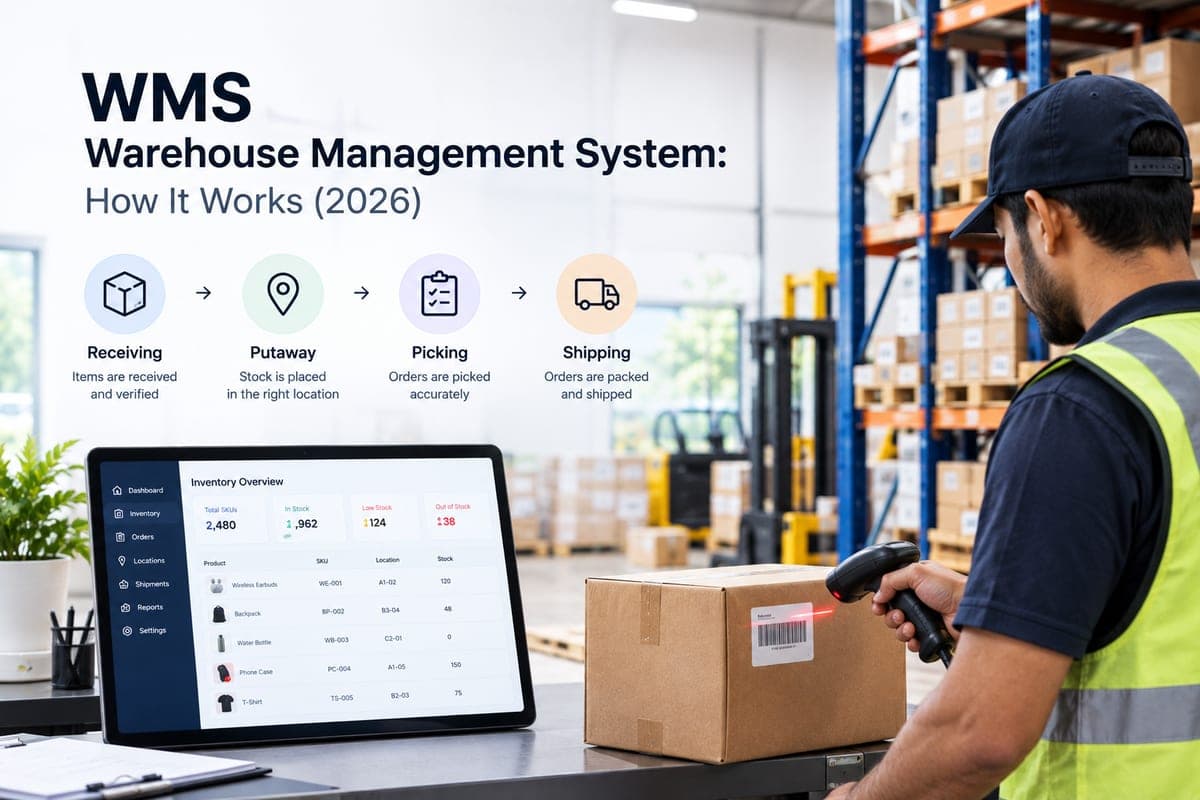
A WMS (warehouse management system) is software that controls and tracks everything that happens to inventory inside a warehouse — from the moment goods are received to the moment they're picked, packed, and shipped. It replaces spreadsheets and manual stock counts with real-time, location-level visibility into what you have and where it is.
For most of the last two decades, a WMS meant a heavyweight, on-premise system built for large distribution centers. That's changed. Ecommerce brands selling across Shopify, Amazon, and a dozen marketplaces now need the same visibility and control — just delivered through lighter, cloud-native software that connects to FBA, 3PL, and local warehouses at once.
This guide covers what a WMS actually does, how it fits with your ERP and order management tools, how to evaluate one for an ecommerce operation, and what the India market looks like for medium-sized businesses in 2026.
Table of Contents
- What Is a Warehouse Management System and What Are Its Core Functionalities?
- WMS vs. OMS vs. ERP: How They Differ
- How Nventory Covers Warehouse and Inventory Management for Multichannel Brands
- Key Benefits of Implementing WMS Software for Inventory Accuracy
- How Do WMS Solutions Integrate With Existing ERP Systems?
- WMS Software With Mobile App Integration
- How to Choose a Warehouse Management System for E-Commerce Warehouses
- Best WMS Solutions for Medium-Sized Businesses in India
- Companies Offering WMS Implementation Services in India
- Cloud-Based vs. On-Premise WMS: Which Should You Choose?
- How Much Does a WMS Cost in India?
- Useful Sources
- Frequently Asked Questions
What Is a Warehouse Management System and What Are Its Core Functionalities?
A warehouse management system is a software platform that manages the movement and storage of inventory within one or more warehouses — governing receiving, putaway, picking, packing, shipping, and stock counting from a single system of record. Its job is to make sure the system always matches physical reality: what's on the shelf, what's committed to an order, and what's available to sell.
The core functionalities that define a WMS are:
- Receiving and putaway — logging inbound shipments against purchase orders and directing staff where to store each item
- Inventory tracking — real-time stock levels down to the bin, shelf, or zone, not just the warehouse level
- Order picking — organising how staff retrieve items for outbound orders, whether wave, zone, or batch picking
- Packing and shipping — validating orders before they ship and generating carrier-ready labels
- Cycle counting — rolling, partial stock audits instead of shutting the warehouse for a full physical count
- Labor management — tracking productivity per picker and packer, and balancing workload
- Slotting — deciding which SKUs sit in which locations to cut travel time, covered in depth in our guide to slotting optimisation for fast movers
- Reporting and analytics — throughput, order accuracy, dock-to-stock time, and fulfillment SLAs; our warehouse KPI dashboard guide covers which of these actually earn a place on the wall
- Integrations — barcode and RFID hardware, ERP, order management systems, and shipping carriers
Not every business needs all nine at full depth. A single-warehouse manufacturer cares deeply about slotting and labor management. A multichannel D2C brand running FBA plus a couple of 3PLs cares more about real-time inventory sync and order routing across locations than about picking-path optimisation inside a single facility. Those are different products, and conflating them is the most common mistake in this category. For the scanning layer underneath all of it, see our barcode system guide for ecommerce warehouses.
WMS vs. OMS vs. ERP: How They Differ
These three get confused constantly because they overlap at the edges. Here's the practical distinction:
| WMS | OMS | ERP | |
|---|---|---|---|
| Primary job | Controls physical operations inside the warehouse | Orchestrates orders across sales channels and fulfillment locations | Manages the whole business — finance, procurement, HR, inventory |
| Who uses it | Warehouse floor staff, ops managers | Ops and fulfillment teams, customer service | Finance, accounting, planning teams |
| Core question it answers | "Where exactly is this item, and how do we pick it?" | "Which location should fulfill this order, and is it in stock?" | "What's our financial and operational position across the business?" |
| Typical buyer | Distribution centers, 3PLs, manufacturers | Multichannel ecommerce and omnichannel retail brands | Mid-market and enterprise companies |
Many growing ecommerce brands don't actually need a standalone WMS on day one. They need an order management system with strong inventory and order-routing logic across the warehouses they already use — FBA, a 3PL, maybe one owned facility. That's a meaningfully different buying decision from shopping for a floor-level WMS for a single large distribution center. If you're still working out which side of that line you're on, our breakdown of warehouse management vs inventory management walks through the distinction with worked examples.
How Nventory Covers Warehouse and Inventory Management for Multichannel Brands
If your business fits the profile above — selling across multiple channels and fulfilling from a mix of FBA, 3PL, and local warehouses, rather than running one large distribution center — Nventory is built for that operating model. Here's what that looks like in practice:
- Real-time inventory sync in under 5 seconds across Shopify, Amazon, eBay, TikTok Shop, and the rest of your commerce channels, using native vendor APIs rather than scraping, so stock levels stay accurate instead of drifting between updates. The inventory engine maintains one master count per SKU per location.
- Multi-warehouse support with intelligent order routing — orders are routed automatically to FBA, a 3PL, or a local warehouse based on stock availability, shipping cost, and priority, without manual selection per order. See how the routing engine resolves those rules, and note that warehouse location limits scale by plan, so check the tier against the number of locations you run.
- 99.9%+ inventory accuracy and a 99.9% uptime target, so it holds up during peak periods like a flash sale, not just in a sales demo.
- 40+ native integrations spanning 23 commerce channels plus shipping carriers (FedEx, UPS, DHL, USPS), accounting tools (QuickBooks, Xero), and marketplaces — the full integrations list is worth checking against the specific channels and carriers you run.
- Conversational, mobile-first operations through the AI Suite — check stock, dispatch orders, and trigger fulfillment workflows over WhatsApp, which matters for warehouse staff who aren't sitting at a desk.
- A free plan to start, covering unlimited orders on one sales channel and one warehouse location, so you can test real-time sync against your own catalog before committing to anything paid.
To be direct about the limits: this isn't a replacement for a dedicated floor-level WMS if you're running a single large distribution center with complex slotting and labor-management needs. An enterprise WMS or an India-focused warehouse-floor platform is still the better fit there. But for the multichannel profile most medium-sized ecommerce businesses actually fall into, Nventory is the layer that makes the rest of this page's checklist work without a six-month implementation.
Key Benefits of Implementing WMS Software for Inventory Accuracy
The single biggest reason businesses adopt a WMS is inventory accuracy — closing the gap between what the system says you have and what's physically on the shelf. That gap is what causes overselling, failed fulfillment, and emergency restocking.
The gains vendors report vary widely by facility, starting accuracy, and how much manual data entry the system actually removes, so treat any single percentage figure with suspicion and benchmark against your own baseline. What is consistent is the mechanism behind each improvement:
- Fewer overselling incidents. Real-time integration between warehouse and business systems closes the lag between physical handling and system updates. The size of the gain depends almost entirely on what you're replacing — moving off a daily batch sync produces a far larger drop than moving off an hourly one.
- Faster receiving and picking. Directed putaway and optimised pick lists cut travel and decision time on the floor. Our warehouse management software playbook covers how those picking strategies are actually configured.
- Reduced shrinkage. Location-level tracking and cycle counting catch discrepancies from theft, damage, or misplacement far earlier than a quarterly full count.
- Better demand forecasting. Accurate historical stock-movement data is the input demand-planning models need. Garbage in, garbage out applies directly here.
- Fewer stockouts and less dead stock. Real-time visibility across every location means you reorder based on true available-to-promise inventory, not a stale snapshot.
If you want defensible benchmarks rather than vendor figures, the Warehousing Education and Research Council publishes annual distribution-center metrics drawn from operator surveys, which is a more honest yardstick for what "good" looks like at your size.
How Do WMS Solutions Integrate With Existing ERP Systems?
A WMS integrates with an ERP through APIs, EDI, or middleware that keeps inventory, order, and financial data flowing bidirectionally between the two systems — so a stock movement in the warehouse updates the ERP's books automatically, and an order or purchase decision in the ERP triggers the right warehouse action, without anyone re-typing data into both.
In practice, there are three common integration methods:
- Native API connectors — pre-built integrations the vendor maintains for major ERPs and accounting platforms. Fastest to set up, most reliable to maintain.
- EDI (Electronic Data Interchange) — a standardised document format still common with larger trading partners and legacy ERP setups.
- Middleware and iPaaS — a connector layer that sits between systems that don't talk to each other natively. More flexible, but adds a moving part to maintain.
The data that typically flows between them: inventory levels and locations, purchase orders, sales orders, cost of goods sold, landed cost, and stock adjustments. Get the integration wrong and you end up with two "sources of truth" that quietly drift apart — which is worse than having no integration at all, because nobody notices until an order fails.
This is one area where the underlying sync mechanism matters more than the marketing copy. A batch sync that runs every few hours will produce a different overselling rate than a system syncing in near real time, so ask any vendor for their measured sync latency rather than accepting "real-time" as a buzzword. Nventory connects natively to QuickBooks and Xero and syncs inventory in under 5 seconds using vendor APIs rather than scraping.
WMS Software With Mobile App Integration
Mobile access matters most for the people who never sit at a desk: pickers, packers, and warehouse supervisors who need to check stock or scan a barcode from wherever they're standing. When evaluating WMS software for mobile support, look for:
- Native iOS and Android apps — not just a mobile-responsive website — with barcode and QR scanning via the phone camera or a paired handheld scanner
- Offline mode so scans and updates still queue and sync once connectivity returns, because warehouses have dead zones
- Role-based access so floor staff see only what's relevant to their task, not the full admin dashboard
- Push notifications for stockouts, failed scans, or routing exceptions
Most enterprise and India-focused platforms now ship a dedicated warehouse-floor app, so this is table stakes rather than a differentiator. A newer pattern worth watching is conversational mobile access — checking stock or dispatching an order through a chat interface instead of opening a dashboard app at all. This is where Nventory takes a different approach: through the AI Suite, staff can check inventory, dispatch orders, and trigger fulfillment workflows directly over WhatsApp, with no app install and no dashboard.
How to Choose a Warehouse Management System for E-Commerce Warehouses
Choosing a WMS for an ecommerce warehouse is different from choosing one for a traditional distribution center — order volumes are higher, order sizes are smaller, and demand is far less predictable. Work through these steps in order:
- Map your fulfillment network first. List every location that holds or ships your inventory: FBA, one or more 3PLs, owned warehouses. The system you choose needs to see all of them as one pool, not separate silos. Our multi-warehouse fulfillment strategy guide covers how to structure that network before you shop for software.
- Prioritise real-time, two-way inventory sync. A system that syncs every few hours will oversell during flash sales and peak periods. Ask vendors for their measured sync latency, not "real-time" as a marketing term.
- Check marketplace and cart integrations. Confirm native support, not a third-party bridge, for the channels you actually sell on.
- Evaluate ERP and accounting integration depth. Native connectors to QuickBooks, Xero, or NetSuite save months of custom development later.
- Confirm multi-warehouse order routing. The system should route each order to the best location based on stock availability, shipping cost, and delivery speed, rather than forcing manual selection order by order.
- Test mobile and handheld support with your actual warehouse staff before committing, not just in a sales demo.
- Ask about implementation time and support. For an ecommerce operation, a 2 to 4 week go-live is realistic for a single warehouse; multi-location setups usually take longer.
- Model total cost of ownership, not just the monthly subscription — include integration work, training, and any per-order or per-SKU fees.
For a neutral read on the vendor landscape before you shortlist, Gartner's Peer Insights market page for warehouse management systems aggregates verified end-user reviews rather than vendor marketing, which is a useful counterweight to affiliate-driven "best of" lists.
Best WMS Solutions for Medium-Sized Businesses in India
For a medium-sized business in India, the right system depends heavily on which segment you fall into. The market roughly splits into three tiers:
| Category | Best for | Typical price band |
|---|---|---|
| Enterprise ERP-bundled WMS | Large manufacturers, complex multi-facility logistics | High, custom licensing |
| India-focused cloud WMS/OMS | Marketplace-heavy D2C and retail brands with high SKU counts | Mid-tier SaaS, per-order or per-warehouse pricing |
| Lightweight order and inventory orchestration | Multichannel brands running FBA, 3PL, and local warehouses together, without a large in-house warehouse team | Free to mid-tier SaaS |
Most medium-sized Indian ecommerce brands don't need — or can't yet justify the cost of — an enterprise WMS built for a single massive distribution center. What they actually need is real-time inventory accuracy and intelligent order routing across whatever mix of FBA, 3PL, and local warehouses they're already using. That's the gap Nventory is built to close: multi-warehouse support with automatic routing based on stock availability, location, and shipping cost, connected through 40+ integrations, with a free plan to get started and without the implementation timeline of a traditional enterprise WMS.
On the India-specific side, check carrier coverage against the ones you actually ship with. Nventory integrates natively with Delhivery, ShipRocket, Porter, and Borzo, and with Tally on the accounting and GST side — worth confirming against your own stack on the integrations page before you commit.
Companies Offering WMS Implementation Services in India
WMS implementation in India generally comes from one of three sources:
- Vendor-native onboarding teams — most SaaS providers run their own setup process, usually the fastest path for a single-channel or moderately complex setup. Most Nventory teams are syncing inventory within about 10 minutes of connecting their first channel.
- Systems integrators — firms that specialise in enterprise deployments, handling data migration, custom workflows, and change management.
- Independent supply-chain consultants — boutique firms or freelance specialists who advise on vendor selection and manage implementation across multiple systems (WMS, ERP, TMS) at once.
Realistic implementation timelines: a small business with a single warehouse can typically go live within 2 to 4 weeks, a mid-sized business with multiple warehouses or sales channels usually needs 1 to 3 months, and a large enterprise with complex workflows and ERP integrations often takes 3 to 6 months or longer.
When evaluating an implementation partner, ask for a named project timeline rather than "it depends", references from a business your size, a clear data-migration plan, and post-launch support terms. Implementation quality affects your go-live date more than the software itself does.
Cloud-Based vs. On-Premise WMS: Which Should You Choose?
| Cloud-based WMS | On-premise WMS | |
|---|---|---|
| Setup time | Days to weeks | Months |
| Upfront cost | Low (subscription) | High (licensing plus hardware) |
| Updates | Automatic, vendor-managed | Manual, IT-managed |
| Accessibility | Any device, anywhere | On-site terminals, usually |
| Best for | Growing and multichannel businesses, distributed teams | Large, stable operations with dedicated IT infrastructure |
For most medium-sized and growing businesses, cloud wins on speed and flexibility. On-premise still makes sense for large, highly customised operations with dedicated IT teams and workloads that don't change much year to year.
How Much Does a WMS Cost in India?
Pricing varies widely by tier. Lightweight cloud inventory and order platforms often start free or in the low hundreds of dollars per month and scale with order volume or channel count — Nventory's free plan covers unlimited orders on one sales channel and one warehouse location, with paid tiers starting at $29/month as you add channels, locations, and users.
Mid-market India-focused WMS and OMS platforms typically run into the low-to-mid thousands of dollars per month depending on warehouse count and SKU volume. Enterprise WMS is usually custom-quoted and can run into the tens of thousands annually once implementation and licensing are included — a cost that only makes sense once you've genuinely outgrown a mid-market platform.
Whichever tier you land in, model the total: subscription, integration work, training, and any per-order or per-SKU fees. The subscription line is rarely the largest number in year one.
Useful Sources
- Gartner Peer Insights — Warehouse Management Systems — verified end-user reviews and market definition, useful as a neutral counterweight to affiliate-driven rankings
- Warehousing Education and Research Council (WERC) — annual distribution-center metrics and operator benchmarking studies
- MHI — material handling and supply chain industry association, with annual reports on warehouse automation adoption
Vendor-published efficiency figures vary enormously by facility and by what the system replaced. Benchmark against your own baseline before budgeting around any headline percentage.
Closing
If you're managing inventory across FBA, a 3PL, or multiple warehouses and spreadsheets or a patchwork of apps aren't cutting it anymore, that's the problem Nventory was built to solve — real-time sync, automatic order routing, and 40+ integrations in one place, with a free plan so you can see it working against your own catalog before committing to anything.
Frequently Asked Questions
A WMS is software that manages inventory movement inside a warehouse, covering receiving, putaway, picking, packing, shipping, and cycle counting. Its core job is keeping the system's record of stock in sync with physical reality in real time. Most platforms also add labor management, slotting, reporting, and integrations with barcode hardware, ERP systems, and shipping carriers.
Nventory is an order and inventory management platform built for multichannel brands. It covers real-time inventory sync, multi-warehouse order routing, and 40+ integrations, which handles the core functions most ecommerce sellers need from a WMS. It is not a floor-level WMS with slotting and labor management for a large distribution center; for that, an enterprise or India-focused warehouse-floor platform is the better fit.
It depends which profile you fit. If you are a single-facility operation with complex floor logistics, an enterprise or India-focused cloud WMS is the better match. If you are a multichannel brand fulfilling from FBA, a 3PL, and local warehouses together, a lighter order-and-inventory orchestration platform is usually the right layer, since your problem is cross-location accuracy and routing rather than picking paths inside one building.
Look for native iOS and Android apps with offline barcode scanning, role-based access, and push notifications for stockouts and routing exceptions, rather than a mobile-responsive website. Several enterprise and India-focused platforms ship dedicated warehouse-floor apps. Nventory takes a different approach through its AI Suite, letting staff check stock and dispatch orders over WhatsApp without installing an app at all.
The main benefits are fewer overselling incidents, faster receiving and picking, reduced shrinkage, better demand forecasting, and fewer stockouts. All of them trace back to the same mechanism: real-time, location-level stock visibility replacing manual counts and delayed updates, so the system's record matches what is physically on the shelf.
Start by mapping every location that holds your inventory, including FBA, 3PLs, and owned warehouses. Then prioritise real-time two-way inventory sync, native marketplace and ERP integrations rather than third-party bridges, multi-warehouse order routing, and mobile support tested with your actual floor team. Ask vendors for measured sync latency rather than accepting 'real-time' as a marketing term, and model total cost of ownership including integration work and training, not just the subscription.
Through native API connectors, EDI, or middleware that keeps inventory, order, and financial data flowing bidirectionally, so a warehouse stock movement updates the ERP automatically and an ERP purchase decision triggers the right warehouse action without manual re-entry. The data that typically flows between them is inventory levels and locations, purchase orders, sales orders, cost of goods sold, landed cost, and stock adjustments.
Implementation comes from three sources: vendor-native onboarding teams, systems integrators specialising in enterprise platforms, and independent supply-chain consultants who advise on vendor selection across WMS, ERP, and TMS together. Realistic timelines run 2 to 4 weeks for a small single-warehouse setup, 1 to 3 months for a mid-sized business with multiple warehouses or channels, and 3 to 6 months or longer for complex enterprise rollouts.
A WMS controls physical operations inside a warehouse: picking, packing, putaway, slotting. An OMS orchestrates orders across sales channels and decides which fulfillment location should handle each one. Many multichannel ecommerce brands need OMS-level order routing more than floor-level WMS functionality, because their problem is keeping one stock pool accurate across several locations rather than optimising travel time inside a single building.
For most growing and multichannel businesses, yes. Cloud-based systems set up in days to weeks rather than months, cost less upfront because there is no licensing or hardware outlay, update automatically, and are accessible from any device. On-premise still suits large, stable operations with dedicated IT infrastructure and highly customised workflows that do not change much year to year.
Pricing varies widely by tier. Lightweight cloud inventory and order platforms often start free and scale with order volume or channel count; Nventory's free plan covers unlimited orders on one sales channel, with paid tiers from $29 per month. Mid-market India-focused WMS and OMS platforms typically run into the low-to-mid thousands of dollars per month depending on warehouse count and SKU volume. Enterprise WMS is usually custom-quoted and can reach tens of thousands annually once implementation and licensing are included.