How to Connect Wix and eBay: Inventory Sync Setup Guide

Wix powers over 700,000 online stores. eBay has 130+ million active buyers. Connecting the two seems like an obvious move for any growing e-commerce brand.
But here's the reality: Wix has no native eBay integration. There's no built-in app, no one-click connector, and no official partnership between the two platforms. If you want to sell on both, you have to build the bridge yourself.
This guide covers exactly how to do that, from the simplest (manual) approach to fully automated inventory sync.
Why Wix Sellers Expand to eBay
Before we get into the technical setup, here's why eBay is worth the effort for Wix store owners.
Access to a massive, different audience. eBay's 130M+ active buyers aren't the same people browsing your Wix site. eBay shoppers are deal-hunters, collectors, and brand-agnostic buyers who search by product, not by store. You're tapping into demand that would never find your standalone website.
Built-in buyer trust. eBay's buyer protection program means customers are more willing to purchase from sellers they've never heard of. Your Wix store requires building trust from scratch through reviews, design, and brand reputation. On eBay, the marketplace's trust transfers to you.
Auction and Best Offer formats. These selling formats don't exist on Wix. For certain product categories, vintage goods, limited editions, overstock, refurbished items, eBay's auction format can drive higher final sale prices than fixed-price listings.
SEO benefits. eBay listings rank well in Google Shopping results. Adding your products to eBay effectively doubles your search engine real estate.
The Core Problem: No Native Integration
Wix's e-commerce platform was designed primarily as a standalone store builder. While it's added integrations over the years (notably Amazon and a handful of others through Wix's own marketplace connector), eBay remains unsupported natively.
This creates three specific problems for multichannel sellers:
- Inventory desync. When a product sells on Wix, eBay still shows it as available (and vice versa). This leads to overselling.
- Duplicate order management. You're checking two dashboards, processing orders in two systems, and reconciling data manually.
- Listing maintenance. Price changes, product updates, and new additions must be made twice.
The question isn't whether you need a connection between Wix and eBay. It's which connection method fits your business.
Three Methods for Connecting Wix and eBay
Method 1: Manual Sync
How it works: You manage listings and inventory separately on both platforms. When an order comes through on either channel, you log into the other and manually adjust stock counts.
The process:
- Create product listings on eBay independently from your Wix store
- Track sales on both platforms throughout the day
- Update inventory counts on the other platform after each sale
- Export and reconcile orders from both dashboards at end of day
Realistic time commitment: For a catalog of 50-100 products with 10-30 combined orders per day, expect 1-2 hours of daily maintenance. For 500+ SKUs, it becomes a full-time job.
When it works: If you're listing fewer than 25 products on eBay as a test, manual sync is fine for the first few weeks. Beyond that, it breaks down.
Method 2: Zapier/Make Automations
How it works: You create automated workflows (called "Zaps" or "Scenarios") that trigger when inventory changes on one platform, pushing updates to the other.
Example Zapier workflow:
- Trigger: New order in Wix
- Action: Update eBay listing quantity via eBay API
- Trigger: New order in eBay
- Action: Update Wix inventory via Wix API
Pros:
- Significantly less manual work than Method 1
- Affordable ($20-$70/month for the required plan tier)
- Customizable: you can add conditions, filters, and multi-step logic
Cons:
- Sync delays: Zapier's standard polling interval is 1-15 minutes. During high-volume periods (flash sales, promotions), that gap causes overselling.
- Wix API limitations: Wix's API has rate limits and doesn't expose all inventory fields. Some automations require workarounds.
- Fragile workflows: API changes on either platform can break your Zaps silently. You might not know sync stopped until a customer orders an out-of-stock item.
- No unified order view: Orders still live in separate systems. You're just syncing quantities, not managing operations holistically.
Method 3: Dedicated Multichannel Platform
How it works: A centralized inventory and order management system connects to both Wix and eBay (and any other channels), acting as the single source of truth for stock levels, orders, and product data.
Pros:
- Near real-time inventory sync (most platforms update within 60 seconds)
- Unified dashboard for all orders across channels
- SKU mapping between Wix and eBay product IDs
- Automated stock allocation and safety buffers
- Scales to additional channels without additional complexity
Cons:
- Higher cost ($100-$500/month)
- Requires initial setup and configuration (1-2 weeks typical)
Comparison Table
| Feature | Manual Sync | Zapier/Make | Multichannel OMS |
|---|---|---|---|
| Monthly cost | $0 | $20-$70 | $100-$500 |
| Sync speed | Hours (human-dependent) | 1-15 minutes | Under 60 seconds |
| Overselling risk | High | Medium | Very low |
| Max practical SKUs | 25-50 | 200-500 | Unlimited |
| Unified order view | No | No | Yes |
| Setup complexity | None | Moderate (technical) | Moderate (guided) |
| Ongoing maintenance | High (daily manual work) | Medium (fix broken Zaps) | Low |
| Scales to 3+ channels | Poorly | With difficulty | Easily |
| Error handling | Manual detection | Limited alerts | Automated retry + alerts |
For brands with over 100 SKUs or more than 20 daily orders across channels, a dedicated platform pays for itself in prevented oversells and saved labor hours alone.
Step-by-Step: Connecting Wix and eBay Through a Centralized Platform
Here's the practical process for getting Wix and eBay syncing through a multichannel inventory platform.
Step 1: Audit Your Current Catalog
Before connecting anything, clean up your data.
- Standardize SKUs: Ensure every product in your Wix store has a unique, consistent SKU. eBay uses its own item numbers, but your SKU is the key that links them.
- Verify stock counts: Do a physical inventory count or cycle count. Starting your sync with inaccurate numbers defeats the purpose.
- Document variants: List every size, color, and option for each product. You'll need this for the mapping step.
Step 2: Connect Your Wix Store
Link your Wix store to the multichannel platform via Wix's API. You'll need your Wix site ID and API key (found in your Wix dashboard under Settings → API Keys).
The platform will pull in your product catalog, including:
- Product names and descriptions
- SKUs and barcodes
- Current inventory quantities
- Pricing
- Images
- Variant information
Review the imported data for accuracy. Pay special attention to variant mapping. Wix handles product options differently than many other platforms.
Step 3: Connect Your eBay Account
Link your eBay seller account using eBay's OAuth authentication. This grants the platform permission to:
- Read your eBay listings and inventory
- Update quantities in real time
- Pull new orders
- Push tracking information
Important eBay setting: In your eBay Seller Hub, ensure "Out-of-stock option" is enabled (Seller Hub → Listings → Out-of-stock). This tells eBay to hide listings at zero quantity instead of ending them, preserving your listing history and SEO value.
Step 4: Map SKUs Between Platforms
This is the most important step. Your Wix product "Classic Blue T-Shirt (Large)" with SKU "CBT-LG" needs to connect to the corresponding eBay listing.
Mapping approaches:
- Automatic matching: If your eBay listings use the same SKUs as Wix (recommended), the platform can auto-match.
- Manual mapping: For products with different identifiers across platforms, create explicit SKU-to-listing-ID mappings.
- Barcode matching: If both platforms have UPC/EAN data, use barcodes as the common identifier.
"The API-first approach let us build custom picking flows in days, not weeks.": David Vance, Tech Lead, Modish Home
Step 5: Set Sync Rules
Configure how inventory flows between channels.
Total inventory pool: If you have 100 units and sell on Wix + eBay, the platform can either:
- Mirror mode: Show 100 units available on both channels (deducting in real time as sales occur)
- Split mode: Allocate 60 to Wix and 40 to eBay (based on historical sales ratios)
- Buffer mode: Show 90 units on each channel (10% safety buffer)
Buffer mode is recommended for most sellers. It provides a safety net during any momentary sync delays while still making most of your inventory available.
Step 6: Configure Order Management
Set up how orders from both channels are processed.
- Order import: All Wix and eBay orders appear in a single dashboard
- Fulfillment workflow: Define your picking, packing, and shipping process once, apply to all channels
- Tracking sync: When you ship an order and add tracking, it pushes to the originating platform automatically
- Return processing: Returns from either channel update inventory back to the shared pool
Step 7: Test Before Going Live
Run a test cycle before trusting the automation.
- Place a test order on Wix. Verify that eBay quantity decreases within 60 seconds.
- Place a test order on eBay. Verify that Wix quantity decreases.
- Process both test orders through fulfillment. Confirm tracking pushes to both platforms.
- Simulate a cancellation. Verify that inventory restocks on both channels.
Common Pitfalls to Avoid
eBay Listing Policy Violations
eBay has strict rules that differ from Wix's anything-goes approach:
- Keyword stuffing: eBay penalizes titles stuffed with search terms. Keep titles under 80 characters and accurate.
- Stock photos: Some categories require original photos. Don't assume your Wix product images meet eBay's standards.
- Category-specific requirements: Certain categories (electronics, health) require item specifics that may not exist in your Wix catalog.
Return Policy Mismatches
Wix lets you set any return policy you want. eBay has its own framework:
- eBay's "Top Rated Plus" status requires 30-day free returns
- eBay buyer protection can override your stated policy in disputes
- Processing eBay returns through a Wix-centric workflow creates confusion
Solution: Standardize your return policy across channels, or configure channel-specific policies in your OMS.
Pricing Strategy Differences
Don't use the same prices on both platforms without thinking it through.
- eBay fees: eBay charges 10-15% final value fees. If your Wix pricing assumes only payment processing fees (2.9% + $0.30), you'll lose margin on eBay.
- Promoted listings: eBay's advertising costs (2-20% additional) need to be factored into your pricing.
- Best Offer psychology: If you enable Best Offer on eBay, set your listed price 10-15% above your minimum acceptable price.
When to Add a Third Channel
Once Wix + eBay is running smoothly, the natural question is: what's next?
The beauty of a centralized system is that adding a third channel, Amazon, Etsy, Walmart, or others, doesn't multiply your operational complexity. Your multichannel inventory management is already set up. Adding a channel is incremental, not exponential.
Signs you're ready for a third channel:
- Your existing two channels are running with sub-1% oversell rates
- You have excess inventory capacity (selling less than 70% of available stock)
- You've identified demand on another marketplace (search volume for your products, competitor presence)
- Your fulfillment process can handle increased volume without bottlenecks
Most brands that grow across multiple sales channels find that the third channel is easier than the second: because the infrastructure, processes, and mindset for multichannel operations are already in place.
Start Small, Scale Smart
Connect Wix and eBay with your top 20-30 products first. Monitor sync accuracy, order flow, and fulfillment for two weeks. Once you're confident the system is reliable, expand to your full catalog.
The brands that succeed in multichannel aren't the ones that list everything everywhere overnight. They're the ones that build reliable operations on two channels before adding a third, and use systems that make the expansion seamless.
Frequently Asked Questions
No native integration exists. Use Zapier, a dedicated multichannel platform, or manual sync to keep inventory synchronized.
Three options: manual CSV ($0, hours delay), Zapier ($20-70/mo, 1-15 min delay), or dedicated OMS ($100-500/mo, near real-time sync).
Not natively. You need a third-party tool connecting both APIs.
Related Articles
View all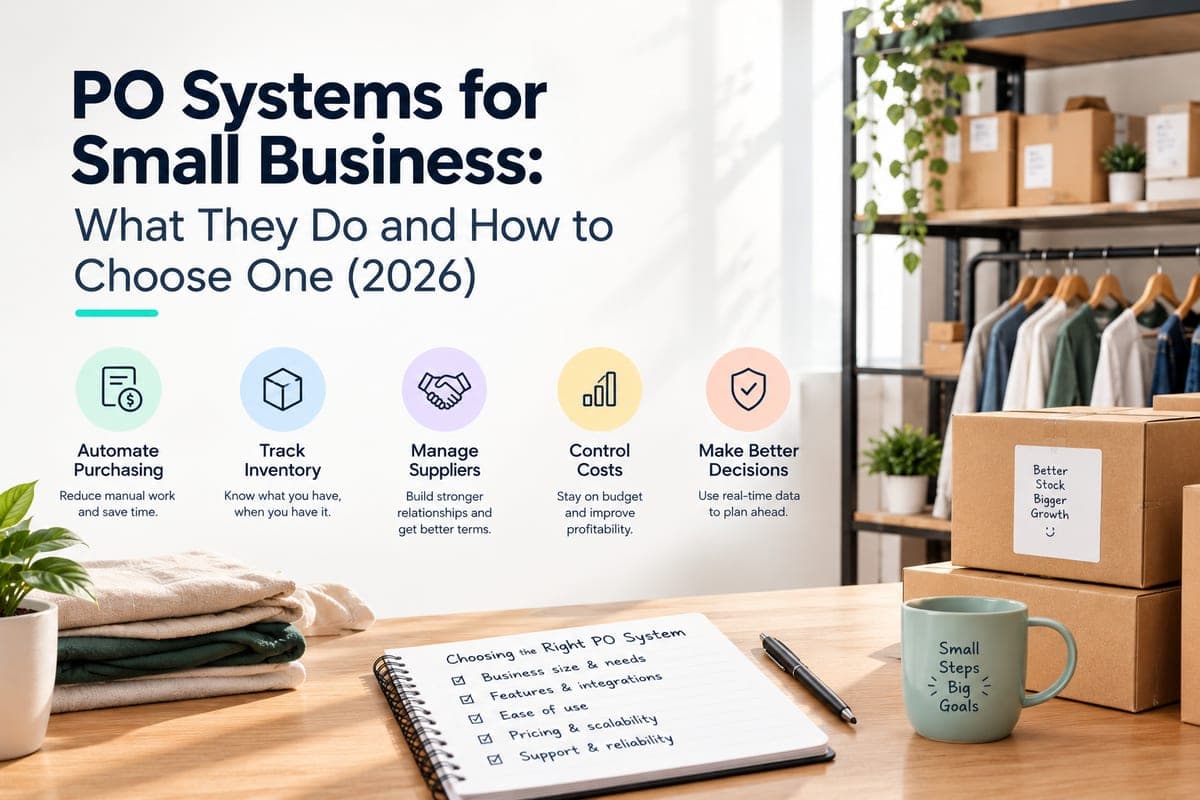
PO Systems for Small Business: What They Do and How to Choose One
How purchase order systems work, when a small business actually needs one, the four types available, and a checklist for choosing between them.

Best Inventory Management Software in India in 2026: Matched by Business Model
Best inventory management software in India, matched by business model, honest pricing, and what top Indian ecommerce operators actually run in 2026.