Cloud Based Inventory Management System: The 2026 Operator's Guide
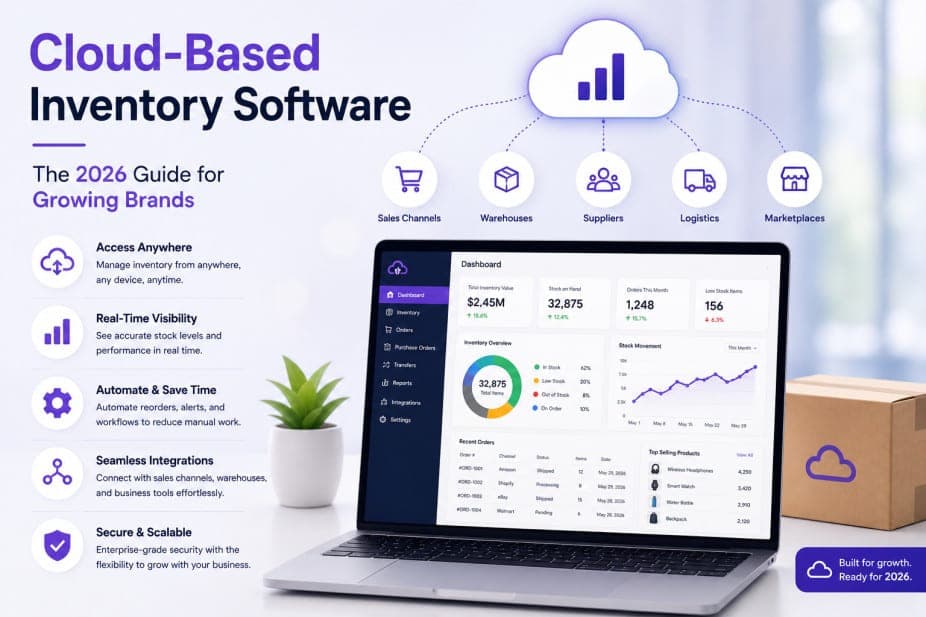
It is 11:14 a.m. on a Tuesday. A flash sale you ran on TikTok Shop is converting faster than you expected. Orders are arriving from five different channels simultaneously - Amazon, Shopify, eBay, your wholesale portal, and TikTok Shop - and your inventory count is sitting in a spreadsheet that was last updated at 9 a.m. By 11:30, you have oversold 47 units of your top SKU. Amazon flags your account. Three customers cancel. Your customer service inbox fills up. You spend the afternoon issuing refunds instead of shipping product.
This is not a hypothetical. It is the exact failure mode that pushes multichannel brands to a cloud based inventory management system - and it is entirely preventable.
Key takeaways before you read on
- A cloud based inventory management system is a SaaS platform that tracks stock, orders, and fulfilment from a single hosted database - accessible anywhere, updated everywhere in real time.
- The global cloud-based inventory management market hit $4.11 billion in 2025 and commands 75.1% of the total inventory management market - this is the dominant deployment model, not an emerging one.
- Event-driven sync - seconds, not minutes - is the standard to hold vendors to on every channel that supports a reliable push. Where a marketplace only offers best-effort notifications, what matters is the polling interval sitting underneath as the backstop, because that is your real worst case.
- On-premise and legacy ERP systems lose on cost, scalability, integration, and remote access - they win on exactly one dimension: regulatory data sovereignty.
- The biggest migration mistakes are predictable and avoidable. This guide covers all of them.
- Pricing models that charge per SKU, per order, or per channel penalise the exact growth you are trying to achieve.
Table of Contents
- What Is a Cloud Based Inventory Management System?
- How It Works: The Technical Reality
- Key Benefits That Actually Move the Needle
- Core Features That Matter in 2026
- Cloud vs. On-Premise vs. Legacy ERP: Honest Comparison
- Advantages and Disadvantages of Cloud-Based Inventory Management
- Who Needs a Cloud Based Inventory Management System?
- How to Evaluate and Choose Without Falling for Demo Theater
- Pricing Models You Will Encounter
- Migration Mistakes to Avoid
- How Nventory Delivers on These Standards
- Frequently Asked Questions
What Is a Cloud Based Inventory Management System?
A cloud based inventory management system is a SaaS application that tracks your stock, orders, suppliers, and fulfilment activity from a single hosted database - accessed through a browser, updated in real time, and available to every member of your team regardless of location.
Unlike desktop software installed on a single machine, or a server running in the back office, a cloud-based system runs on the vendor's infrastructure. Your data lives in redundant, geographically distributed servers. When a sale lands on Amazon, the stock count updates on Shopify, eBay, and every other connected channel before the next shopper sees the listing. No manual reconciliation. No lag. No race conditions.
The term overlaps with several related concepts worth distinguishing:
- Cloud based inventory management software - the application layer; the UI and logic you interact with daily.
- Cloud based inventory tracking system - emphasises the real-time stock visibility function specifically.
- Web-based inventory management system - browser-accessible; synonymous with cloud-based in most modern contexts.
- Inventory management system cloud - same category, different search phrasing.
- Cloud-based inventory system - the broader system including integrations, automation, and reporting, not just the tracking layer.
In practice, the best platforms in 2026 are all of these simultaneously. They are not just stock counters. They are operational orchestration layers connecting every storefront, marketplace, warehouse, carrier, and supplier you use. For the wider category context, see our guide to what inventory management actually involves in ecommerce.
How It Works: The Technical Reality
Understanding the mechanics matters because it is where vendor marketing diverges most sharply from operational reality.
A cloud based inventory management system works through a combination of:
- Native API integrations with sales channels. The platform connects directly to Shopify, Amazon, eBay, WooCommerce, TikTok Shop, Walmart, and others via their published APIs. When an order lands, the channel pushes a webhook to the inventory system, which decrements stock and pushes updated counts back to every other connected channel within seconds. Not every marketplace guarantees that push, though. Amazon's SP-API notifications, for instance, are best-effort, so any serious platform also runs a scheduled poll underneath as a backstop. Push sets your best case; the poll interval sets your worst case.
- A centralised inventory ledger. Every SKU has one master stock count. All channels read from and write to this single source of truth. There is no "Shopify stock" and "Amazon stock" - there is stock, period, allocated across channels based on rules you set.
- Locking mechanisms to prevent race conditions. When two orders for the same SKU arrive simultaneously from different channels, the system locks the record, processes one, decrements, then processes the next. Without this, overselling is mathematically guaranteed at scale.
- Order routing logic. Incoming orders are evaluated against rules - which warehouse has stock, which carrier is cheapest for the destination, whether FBA or 3PL should fulfil - and routed automatically.
- Reporting and forecasting engine. The system analyses sell-through rates, seasonal patterns, and supplier lead times to surface reorder recommendations, safety stock levels, and demand forecasting outputs.
This is what separates a genuine cloud based inventory management system from a spreadsheet with a cloud sync button. If you want the architectural detail on how often that sync should fire, we compared real-time versus batch inventory sync in depth.
Key Benefits That Actually Move the Needle
Real-time stock visibility across every channel
Twenty-five percent of multichannel sellers report losing revenue because inventory was not synchronised quickly enough across channels. The fix is not faster manual updates - it is a system that updates automatically the moment a sale occurs. Real-time stock visibility means your team, your 3PL, and your storefronts all see the same number at the same time.
Multichannel sync that prevents overselling
Forty percent of customers who experience a cancellation due to overselling never buy again. That is not a customer service problem. It is an inventory infrastructure problem. A cloud based inventory management system with true bi-directional sync eliminates the structural cause of overselling - not by alerting you after it happens, but by preventing it from happening at all. We covered the common breakdown patterns in why multichannel inventory sync fails.
Scalability without IT overhead
On-premise systems scale with hardware. Cloud systems scale with a pricing tier change. When your order volume triples in Q4, the platform absorbs it. You do not buy new servers, hire an IT contractor, or pray the old system holds. The global cloud-based inventory management market reached $4.11 billion in 2025, or 75.1% of the total market, because this scalability advantage is not theoretical; it is proven at scale across hundreds of thousands of businesses.
Cost savings vs. on-premise
No servers. No server maintenance. No version upgrade projects. No IT contractor on retainer. No downtime windows for patches. The total cost of ownership for a cloud-based SaaS inventory platform is consistently lower than an equivalent on-premise setup once you account for all the hidden costs of running your own infrastructure.
Remote access for distributed teams
The U.S. Bureau of Labor Statistics has documented the sustained shift toward distributed retail and warehousing operations since 2020. Your warehouse manager in one city, your operations lead in another, your 3PL partner in a third location - all need to see the same inventory data simultaneously. A web-based inventory management system delivers this by default. An on-premise system does not.
Stockout prevention through demand forecasting
McKinsey research shows AI-driven operations forecasting can reduce supply-chain forecasting errors by 20% to 50% and cut lost sales from product unavailability by up to 65%. Modern cloud inventory platforms embed this capability directly, surfacing reorder alerts, safety stock recommendations, and demand forecasting outputs without requiring a separate analytics tool. If you are still calculating reorder points by hand, start with our reorder point formula.
Core Features That Matter in 2026
Most vendor websites list 40 features. Here are the ones that separate platforms that work from platforms that look good in a demo.
Real-time bi-directional sync
This is the headline feature and the one most often faked. Real-time means the sync is event-driven: the channel notifies the platform the moment an order lands, and propagation is measured in seconds. That is a different architecture from a scheduled batch job on a fixed timer, which is what "near real-time" usually turns out to mean. Bi-directional means a sale on Amazon decrements stock on Shopify and eBay before the next shopper loads the listing.
The nuance vendors skip: a few marketplaces do not guarantee their push notifications, so a well-built platform runs scheduled polling underneath as a safety net. That is good engineering, not a weakness - an order that arrives late is far better than one that never arrives. What separates a strong platform from a weak one is whether polling is the backstop or the only mechanism. Ask vendors two questions in writing: which channels are push-backed, and what the polling interval is on the rest. A vendor quoting one latency figure for all 30 of their channels has not answered the question.
Multichannel connectivity
The platform should connect natively to the channels you sell on today and the ones you will add next year. At minimum in 2026: Shopify, Amazon, eBay, WooCommerce, BigCommerce, Magento, Etsy, Walmart, TikTok Shop, Faire. If the vendor charges extra per channel, you have outgrown the platform before you signed the contract. See the full integrations list to verify channel coverage before committing.
Intelligent order routing
When an order arrives, the system should automatically decide where to fulfil it based on rules you define: inventory location, shipping cost, carrier speed, FBA vs. 3PL vs. own warehouse. Manual routing at scale is not just inefficient - it is impossible. Smart order routing typically cuts fulfilment costs by 30-40% for multi-warehouse brands by eliminating the guesswork and the manual decision-making.
Shipping and label integration
Native connections to UPS, FedEx, USPS, DHL, and regional carrier aggregators let you rate-shop, print labels in batch, and push tracking numbers back to every channel automatically. Tracking pushed to Amazon within the SLA window is the single biggest predictor of seller account health. This is not a nice-to-have.
Multi-warehouse and 3PL support
If you use a 3PL, Amazon FBA, and your own warehouse simultaneously, the system must treat each as a separate location with its own stock counts and routing rules. Unlimited warehouse locations should be standard, not a premium add-on. 3PL integration failures - where the 3PL's WMS and your inventory system disagree on stock counts - are one of the most common causes of overselling for growing brands. Our 3PL scorecard covers the metrics to hold a partner to.
SKU management and barcode scanning
Robust SKU management means handling variants, bundles, kits, and assembled products without breaking the inventory count logic. Barcode scanning integration means warehouse staff can receive purchase orders, pick orders, and conduct cycle counts without touching a keyboard. These are operational basics that weak platforms handle poorly.
Reporting, inventory turnover, and demand forecasting
You need to see sell-through rate, inventory turnover, dead stock value, and reorder points. The better platforms layer AI-driven demand forecasting on top, which materially reduces both overstocking and stockout risk. The National Retail Federation has consistently flagged inventory distortion - the combined cost of stockouts and overstock - as one of the top operational drains on mid-market retailers.
API and automation
A REST API is non-negotiable if you ever need to build a custom workflow the UI does not cover. Beyond that, the leading platforms in 2026 support conversational automation - triggering stock checks, order dispatches, or reorder workflows through a chat interface. This is not marketing. It is a genuine operational shift for warehouse teams who already live in messaging apps.
Cloud vs. On-Premise vs. Legacy ERP: Honest Comparison
Direct answer: A cloud based inventory management system wins on cost, scalability, integration speed, remote access, and continuous updates. On-premise wins on data sovereignty for regulated industries only. Legacy ERPs win on breadth of modules but lose on ecommerce channel depth, implementation speed, and total cost for brands under $50M revenue.
| Dimension | Cloud-Based IMS | On-Premise IMS | Legacy ERP |
|---|---|---|---|
| Upfront cost | Low (subscription) | High (hardware + licences) | Very high (licences + implementation) |
| Implementation time | Days to weeks | Months | 6-18 months |
| Multichannel integrations | Native, maintained | Custom middleware | Limited, often outdated |
| Real-time sync | Yes (event-driven, seconds) | Rarely | No |
| Remote access | Yes, browser-based | VPN required | Limited |
| Scalability | Elastic, instant | Hardware-bound | Licence-bound |
| Updates | Continuous, automatic | Manual, infrequent | Annual release cycles |
| Security | Vendor-managed, enterprise-grade | Self-managed | Self-managed |
| Data sovereignty | Vendor-hosted | Full control | Full control |
| Best for | SMB to enterprise ecommerce | Regulated industries | Large enterprises ($50M+) |
In practice, cloud-hosted systems operated by a dedicated security team are typically patched and monitored more consistently than an average small-retailer on-premise setup, because the vendor's security team is running the platform full-time rather than fitting it around other work. This is not an absolute claim about every deployment, but it is the pattern most operators see when they compare their current on-premise reality to what a mature vendor ships by default.
Advantages and Disadvantages of Cloud-Based Inventory Management
The honest version. Not the vendor brochure.
Advantages
- Operational agility. Add a new sales channel in hours, not weeks. Connect a new 3PL without a custom integration project. Spin up a new warehouse location in minutes. Cloud-based systems are built for change; on-premise systems resist it.
- Always-current software. Updates ship continuously. You do not wait for an annual release cycle to get a feature that fixes a real problem. The changelog is live and public.
- Lower total cost of ownership. No servers, no IT contractors, no version upgrade projects. For most brands under $50M revenue, a SaaS inventory platform costs a fraction of an equivalent on-premise setup over a three-year horizon.
- Distributed team access. Everyone - warehouse, ops, finance, 3PL partners - sees the same data simultaneously. No emailing spreadsheets. No "which version is current?"
- Built-in redundancy. Serious cloud platforms run on multi-region infrastructure with 99.9%+ uptime SLAs. Your data is mirrored. A single server failure does not take your operation offline.
- AI and forecasting built in. Demand forecasting, anomaly detection, and automated reorder triggers are now standard features on leading cloud platforms - not premium add-ons.
Disadvantages
- Internet dependency. This is real. If your internet connection goes down, so does your access to the system. The mitigation: choose a platform that caches critical operations (label printing, scan-to-ship) locally so a brief outage does not stop the warehouse floor. Also: invest in a backup 4G/5G connection for your warehouse. The cost is trivial compared to the risk.
- Data migration complexity. Moving from a legacy system or spreadsheets requires cleaning your SKU data first. Duplicate SKUs, inconsistent naming conventions, missing GTINs - all of these follow you into the new system if you do not address them before migration. GS1 standards are the right baseline for SKU and GTIN hygiene.
- Vendor lock-in risk. If your vendor raises prices, gets acquired, or shuts down, migrating to a new platform is painful. Mitigate this by choosing vendors with open REST APIs (so your data is exportable), avoiding proprietary data formats, and reading the contract's data portability clauses before signing.
- Ongoing subscription cost. Unlike a one-time software purchase, SaaS means recurring costs. For most brands, this is still cheaper than on-premise over three years - but it is a real line item that needs to be in your budget.
- Customisation limits. Cloud platforms are built for the majority use case. If your operation has genuinely unusual requirements, you may hit the edges of what the UI supports. The API is your escape hatch - but it requires development resources.
Who Needs a Cloud Based Inventory Management System?
Multichannel ecommerce brands
If you sell on more than one channel - Shopify plus Amazon, or eBay plus a wholesale portal - you need a dedicated cloud based inventory management system. Shopify's built-in inventory tools are designed for Shopify. They do not know about your Amazon stock. The moment you have two channels, you have a synchronisation problem that only a purpose-built system solves. Our marketplace inventory sync guide walks through the Amazon, eBay, and Walmart specifics.
D2C brands scaling into wholesale or marketplaces
Direct-to-consumer brands that add Amazon, Faire, or a retail wholesale channel face an immediate inventory complexity jump. A cloud-based SaaS inventory platform handles the routing logic, the channel-specific stock allocation, and the purchase order management without requiring a custom integration project.
SMBs with more than 100 SKUs
Below 100 SKUs, spreadsheets are painful but survivable. Above 100 SKUs, the error rate from manual management compounds fast. A cloud based inventory tracking system pays for itself in prevented errors within the first quarter for most SMBs at this scale.
Brands using multiple warehouses or 3PLs
3PL coordination failures - where the 3PL's system and your system disagree on stock counts - are one of the most common causes of overselling and missed SLAs. A cloud-based system with native 3PL integration eliminates the discrepancy by making both systems read from the same source of truth.
Wholesale and B2B operations
Wholesale brands managing purchase orders, supplier lead times, and bulk inventory movements need the same real-time stock visibility as D2C brands - plus specific features like purchase order management, supplier portals, and minimum order quantity logic. Cloud-based platforms handle all of this without custom development.
You are overdue if three or more of these are true:
- You sell on more than one channel
- You have more than 100 active SKUs
- You have ever oversold a product
- You spend more than two hours a week reconciling stock counts
- You are about to add a second warehouse or 3PL
- You are planning a peak season campaign with significant volume
How to Evaluate and Choose Without Falling for Demo Theater
Direct answer: Evaluate cloud inventory software with your real data, not the vendor's demo data. Test sync latency with a stopwatch. Test edge cases - bundles, returns, multi-warehouse routing. Read the changelog. Talk to an actual customer of similar size. Ask which integrations are native vs. middleware.
Vendor demos are choreographed to show the happy path. Here is how to see the real platform.
The evaluation checklist
- Import your actual SKU data. Not a sample. Your real catalogue, including variants, bundles, and kits. If the import breaks or produces errors, that is the answer.
- Connect one live channel. Not a test environment. A real channel with real orders. Watch what happens when an order lands.
- Stopwatch the sync latency. Place a test order and time how long it takes for stock to update on every other connected channel. Under 5 seconds is acceptable. Under 2 seconds is excellent. Above 60 seconds is dangerous on a busy sales day.
- Test the edge cases. Create a kit/bundle. Add a SKU to a second warehouse. Process a return. Push tracking back to a marketplace. These are where weak platforms collapse.
- Read the changelog. A platform shipping meaningful updates weekly is alive and invested in the product. One updating twice a year is on life support.
- Talk to a real customer of similar size. Not a logo on the website. An actual operator. Ask what broke, how support responded, and what they wish they had known before signing up.
- Inspect the integration list. Ask which integrations are native (direct API connection) vs. middleware (Zapier, third-party connector). Native integrations are stable. Middleware breaks under load and introduces additional latency.
- Check the data portability terms. Before signing, confirm you can export all your data in a standard format. Vendor lock-in is a real risk; open APIs and exportable data are your protection.
- Evaluate the pricing model. Avoid metered pricing that charges per SKU processed or per order shipped - these structures scale your bill with the exact growth you are trying to achieve. Prefer tiered plans that publish clear listing, channel, and location allowances so your bill is predictable, and confirm what happens if you exceed an allowance (a plan upgrade is fine; per-order overage fees are not).
- Assess the onboarding process. A vendor that offers guided onboarding - not just documentation - gets you live faster and reduces the risk of a botched migration.
See the full platform features to understand what a well-built cloud inventory system looks like end to end, or compare options in our best inventory management system guide.
Pricing Models You Will Encounter
Cloud inventory pricing in 2026 follows four main patterns. Three of them are traps.
| Pricing Model | What It Penalises | Verdict |
|---|---|---|
| Per-SKU | Catalogue growth | Avoid unless SKU count is small and stable |
| Per-order | Revenue growth | Avoid for any high-volume brand |
| Per-channel | Multichannel expansion | Avoid - this is the whole point of the software |
| Flat-rate / feature-tiered | Nothing | Recommended |
A healthy benchmark: total cost of ownership should land between 0.3% and 1% of revenue at scale. Above 2% means you are paying for vendor overhead, not operational value.
Watch for these hidden costs in vendor contracts:
- Overage fees for exceeding order or SKU limits
- Per-integration fees for connecting additional channels
- Support tier fees - basic support often means slow response times; priority support is an add-on
- Onboarding fees - some vendors charge thousands for setup that should be included
See Nventory's pricing for an example of a tiered model with defined listing, channel, and location allowances per plan and no per-order metering - so your bill is set by the tier you pick, not by how much you sell in a given month.
Migration Mistakes to Avoid
Migrations to a new cloud inventory platform fail in predictable ways. Here are the ones that derail brands most often.
- Migrating during peak season. Always migrate in your slowest month. Q1 for most brands. Post-Diwali for India-based sellers. Post-holiday for US brands. The worst time to discover a sync issue is during your highest-volume week of the year.
- Skipping data cleanup. Dirty SKU data follows you into the new system. Deduplicate SKUs, standardise naming conventions, resolve barcode conflicts, and fill in missing GTINs before you import anything. GS1 standards are the right baseline for GTIN hygiene. This step takes time. It is not optional.
- Not assigning an internal owner. Without one person accountable for the rollout, decisions stall, timelines slip, and the project drags across quarters. Name an owner before you sign the contract.
- Underestimating training. Two hours of structured training for your warehouse team cuts support tickets by roughly half in the first 30 days. Do not skip it because everyone is busy. Everyone is always busy.
- Connecting all channels simultaneously. Connect one channel, validate that sync is accurate, then add the next. Trying to validate five channels at once is how real issues get missed until they cause overselling.
- Ignoring the 3PL handshake. If you use a 3PL, confirm before migration that the new system can communicate with the 3PL's WMS. This is a common failure point. Get it in writing from both vendors before go-live.
- Not testing purchase order workflows. Most brands test the sale-to-ship flow and forget to test the replenishment flow. Purchase orders, supplier lead times, and receiving workflows need to be validated before you go live.
How Nventory Delivers on These Standards
Direct answer: Nventory is an AI-powered order management system that unifies inventory, orders, and shipping across 30+ native integrations - sales channels, carriers, and accounting systems - for multichannel ecommerce brands. Sync is event-driven wherever the channel supports a reliable push, with scheduled polling underneath it as a guaranteed backstop - so real latency depends on the channel rather than being one number for all of them. Alongside that: native integrations (not middleware), intelligent order routing, and an AI Suite that lets warehouse teams manage operations through WhatsApp, eliminating the need to open a dashboard for routine tasks.
This is not a feature list. It is a description of what the system actually does in production.
- Event-driven inventory engine with a polling backstop. Native API connections - not scraping, not middleware - with locking mechanisms that prevent stock races. When two orders for the same SKU arrive simultaneously from different channels, the system handles it correctly. Where a marketplace offers a dependable push notification, orders land in seconds. Where the push is optional or unreliable - Amazon's SP-API notifications are a good example - a scheduled poll runs underneath as the guarantee, so an order is never missed even if the notification never arrives. Ask any vendor which of their channels are push-backed and which are poll-backed, and what the poll interval is. That answer, not a single headline latency number, tells you what your worst case actually looks like.
- 30+ native integrations. Shopify, Amazon, eBay, WooCommerce, BigCommerce, Magento, Etsy, Walmart, TikTok Shop, Faire, and more. All native. All maintained. No Zapier connectors that break when a marketplace updates its API.
- Intelligent order routing. Rules-based routing that evaluates inventory location, shipping cost, carrier speed, and fulfilment source (FBA, 3PL, own warehouse) for every incoming order. Smart routing typically cuts fulfilment costs by 30-40% for multi-warehouse brands.
- Multi-warehouse and 3PL support. Multiple warehouse locations per plan (allowances scale from Starter through Business, with unlimited locations on Premium - see the pricing page for the current per-plan numbers). Each treated as a separate inventory node with its own stock counts and routing rules. 3PL integration that keeps your system and the 3PL's WMS in agreement.
- AI Suite. Demand forecasting, anomaly detection, automated reorder triggers, and conversational operations management through WhatsApp. Ask the system for a stock count, trigger a purchase order, or check fulfilment status - without opening a dashboard.
- Full platform overview. Every feature, documented, with no feature-gating surprises buried in the contract.
Pricing is tiered by product listings, connected sales channels, and warehouse locations, with orders unlimited on every paid plan. Listing, channel, and location allowances depend on the plan you pick, so match the tier to your channel mix and location count. See the pricing page for the full breakdown.
If you want to evaluate this with your real data, create a free account - guided onboarding included, live in days.
For related reading: our best inventory management system guide and order management system software guide.
Frequently Asked Questions
A cloud based inventory management system is a SaaS platform that tracks stock, orders, suppliers, and fulfilment from a single hosted database accessible through a browser. It syncs inventory in real time across every connected sales channel and warehouse, eliminating manual reconciliation. Unlike on-premise software, it requires no servers, updates automatically, and scales with your order volume without IT intervention.
An ERP is a broad system covering finance, HR, procurement, and inventory as one module among many. A cloud based inventory management system is specialised, built specifically for stock, orders, and fulfilment, with deeper native integrations into ecommerce channels. Most growing brands need the specialised tool first. An ERP typically makes sense only after crossing roughly $50M in annual revenue, where the breadth of modules justifies the implementation cost and complexity.
For a single-channel brand with under 5,000 SKUs and clean data, expect 1-2 weeks from signup to fully live. For multichannel, multi-warehouse brands with complex routing rules, 4-8 weeks is realistic. The single biggest variable is data cleanliness: dirty SKU data, duplicate entries, and missing GTINs extend implementation time more than any technical factor.
Serious cloud platforms encrypt data in transit and at rest, maintain GDPR compliance, and operate on infrastructure with 99.9%+ uptime SLAs backed by multi-region failover. In practice, vendor-managed cloud infrastructure is often more consistently patched and monitored than an average small-retailer on-premise setup, because a dedicated security team is running it full-time. The biggest security risk is usually on your side: enforce two-factor authentication and role-based access from day one.
Most cloud based inventory management systems require an active internet connection. However, the better platforms cache critical warehouse operations (label printing, scan-to-ship, barcode scanning) locally, so a brief outage does not halt the warehouse floor. For sustained offline resilience, a backup 4G/5G connection is a low-cost mitigation that most warehouse operations should have regardless of which system they use.
The real disadvantages are: internet dependency (mitigated by backup connections and local caching), data migration complexity (mitigated by cleaning data before import), vendor lock-in risk (mitigated by choosing platforms with open APIs and data portability), and ongoing subscription costs (typically lower than on-premise TCO over three years, but a real budget line). Any vendor who does not acknowledge these is selling you something.
Single-channel sellers can often survive on the native inventory tools built into their platform, Shopify's inventory for example. The moment you add a second channel, you have a synchronisation problem that native tools cannot solve. If you are on one channel but managing more than 500 SKUs, running complex bundles or kits, or using a 3PL, a dedicated cloud based inventory tracking system pays for itself quickly even without the multichannel complexity.
Related Articles
View all
PO Systems for Small Business: What They Do and How to Choose One
How purchase order systems work, when a small business actually needs one, the four types available, and a checklist for choosing between them.

Best Inventory Management Software in India in 2026: Matched by Business Model
Best inventory management software in India, matched by business model, honest pricing, and what top Indian ecommerce operators actually run in 2026.